

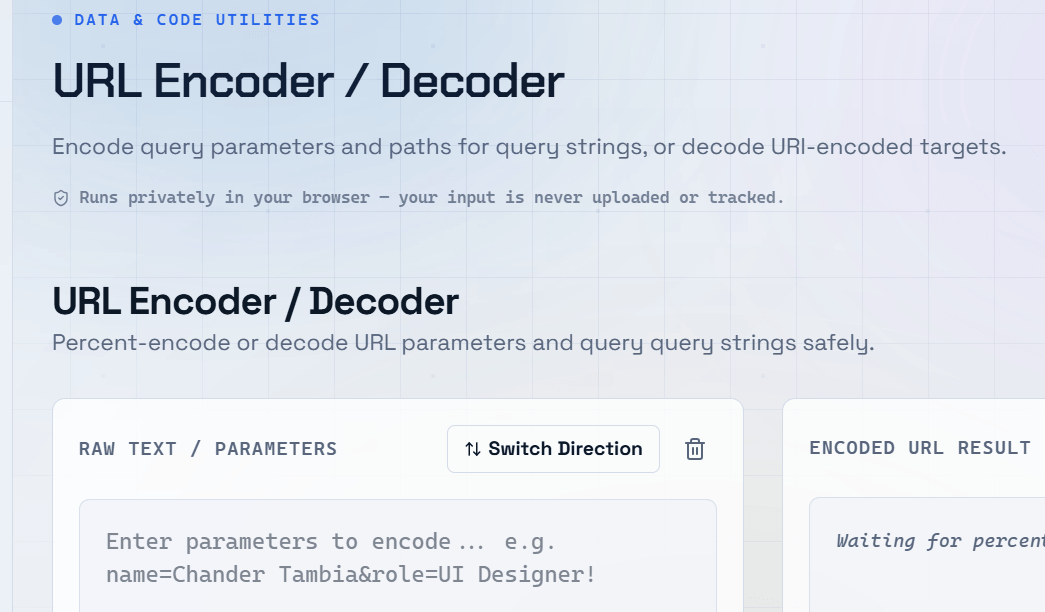
URLs can only contain a limited set of safe characters. When you include spaces, special symbols, or non-ASCII characters in a URL, those characters must be converted into a format the web can safely handle. This process is called URL encoding, and getting it wrong can break links, corrupt query strings, and cause API calls to fail.
What Is URL Encoding?
URL encoding (also called percent encoding) converts characters that are not safe for use in URLs into a format using a % sign followed by two hexadecimal digits.
A URL Encoder & Decoder lets you:
- Encode any string for safe use in a URL.
- Decode a percent-encoded URL back into human-readable text.
- Build query strings correctly.
- Pass data through GET parameters safely.
- Work reliably with third-party APIs.
Which Characters Need to Be URL Encoded?
- Space —
%20(or+in query strings) &(Ampersand) —%26— Critical in query strings because&separates parameters.=(Equals sign) —%3D— Required when=appears inside a parameter value.#(Hash) —%23— The hash has special meaning as a URL fragment identifier.+(Plus sign) —%2B— In query strings,+normally represents a space./(Forward slash) —%2F— Required when/appears within a parameter value.
URL Encoding in Query Strings
Query strings are the most common place where URL encoding matters.
For example:
/search?q=hello world&type=blogThe space in “hello world” and any reserved characters within parameter values must be properly encoded. Otherwise, the server may parse the query incorrectly.
Important:
- ✅ Encode parameter values, not the entire URL.
- ❌ Do not encode
https://,/, or other structural parts of the URL.
Encoding the full URL will break its structure.
URL Encoding vs URI Encoding
encodeURI()— Encodes an entire URL while preserving its structure.encodeURIComponent()— Encodes individual query parameter values.decodeURIComponent()— Decodes percent-encoded parameter values.
How to Use an Online URL Encoder & Decoder
- Paste your text or URL into the input field.
- Click Encode to convert special characters into percent-encoded format.
- Click Decode to convert a percent-encoded URL back into readable text.
- Copy the output into your API request, website, or application.
Frequently Asked Questions
Q: What is the difference between %20 and + for spaces in URLs?
A: %20 is the standard percent-encoded representation of a space and works correctly in every part of a URL. The + sign is a legacy convention used primarily in query strings. While both work in query parameters, %20 is the more universally reliable option.
Q: Do I need to URL encode the entire URL?
A: No. Only encode query parameter values or path segments that contain unsafe characters. Encoding the protocol (https://) or path separators (/) will break the URL and make it unusable.
Q: Why does my API call fail when I include special characters?
A: Unencoded characters such as &, =, #, or spaces can change how the server interprets the query string. Always URL encode parameter values before sending API requests.
Q: How does URL encoding handle non-English characters?
A: Non-ASCII characters are first converted into UTF-8 bytes, and each byte is then percent-encoded. For example, the character é becomes %C3%A9. Most URL encoder tools handle this process automatically.
Q: Is URL encoding the same as HTML encoding?
A: No. URL encoding uses percent encoding (such as %20 or %26) for URLs. HTML encoding uses character entities (such as & for & and < for <) to safely display special characters in HTML. They serve different purposes and should not be used interchangeably.