

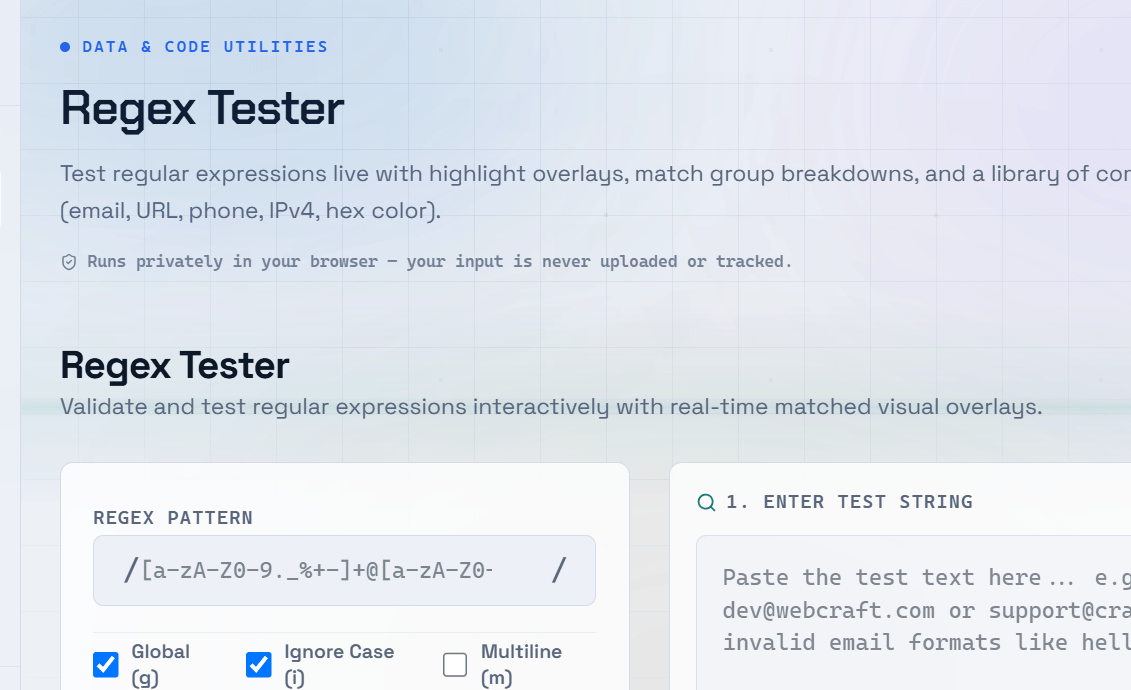
Regular expressions (regex) are one of the most powerful tools in a developer’s toolkit. A single regex pattern can validate an email address, extract a phone number, or find every URL in a document in milliseconds. A regex tester online lets you write patterns and test them against real input in real time, with matches highlighted instantly.
What Is a Regular Expression?
A regular expression is a sequence of characters that defines a search pattern. You use regex to match, find, replace, or validate strings of text. It is supported in virtually every programming language — JavaScript, Python, Java, PHP, Go — and in most code editors and command-line tools.
Core Regex Syntax You Need to Know
.(dot) — Matches any single character except a newline.\d— Matches any digit (0–9).\w— Matches any word character (letters, digits, and underscore).\s— Matches any whitespace character (space, tab, or newline).^and$— Match the start and end of a line, respectively.[abc]— Character class that matches a, b, or c.*— Matches zero or more occurrences of the previous character.+— Matches one or more occurrences of the previous character.?— Makes the previous character optional (zero or one occurrence).
Common Regex Patterns With Examples
- Email validation —
^[\w.-]+@[\w.-]+\.[a-zA-Z]{2,}$ - Phone number (Indian format) —
^[6-9]\d{9}$ - URL matching —
https?:\/\/[\w\-.]+(\.[a-zA-Z]{2,})+ - Date format (YYYY-MM-DD) —
^\d{4}-(0[1-9]|1[0-2])-(0[1-9]|[12]\d|3[01])$ - Password strength —
^(?=.*[A-Z])(?=.*\d).{8,}$
Regex Flags — Modifying How Patterns Match
g(global) — Finds all matches, not just the first.i(case-insensitive) — Matches text regardless of uppercase or lowercase.m(multiline) — Makes^and$match the start and end of each line.s(dotAll) — Allows.to match newline characters.
How to Use a Regex Tester Effectively
A regular expression tester is the fastest way to learn and debug regex. Write your pattern in the regex field and paste real test data into the input area. Matches are highlighted instantly, eliminating the need to run code.
To get the best results:
- Test real-world input rather than simple examples.
- Include edge cases such as empty strings, special characters, and long text.
- Use the explanation panel (if available) to understand how each part of the pattern works.
- Refine your regex incrementally instead of writing a complex expression all at once.
Tip: Start with a simple pattern that matches one correct example, then gradually refine it to exclude invalid matches. Building complex regex step by step makes debugging much easier.
Frequently Asked Questions
Q: What is the best way to learn regex?
A: Practice with real examples using a live regex tester. Start with simple patterns like matching digits or word characters, then gradually move to common use cases such as email or URL validation. Reading pattern explanations alongside your tests accelerates learning.
Q: Is regex the same in JavaScript and Python?
A: The core syntax is largely the same, but there are differences in supported features, flags, shorthand character classes, and lookbehind assertions. Always test your regex using the engine for the programming language you are targeting.
Q: Why does my regex match too much or too little?
A: Greedy matching is the most common cause. By default, quantifiers such as * and + match as many characters as possible. Add ? after them to make them lazy (for example, .*?), causing them to match as few characters as necessary.
Q: Can I use regex to validate forms?
A: Yes. Regex is commonly used to validate email addresses, phone numbers, postal codes, and password strength. In HTML5, you can use the pattern attribute directly in form inputs. For more advanced validation, JavaScript’s .test() method provides a flexible solution.
Q: What does escaping mean in regex?
A: Many characters have special meanings in regex, including ., +, *, ?, [, and ]. To match these characters literally, you must escape them with a backslash. For example, use \. to match an actual period (.); otherwise, . matches any single character.