

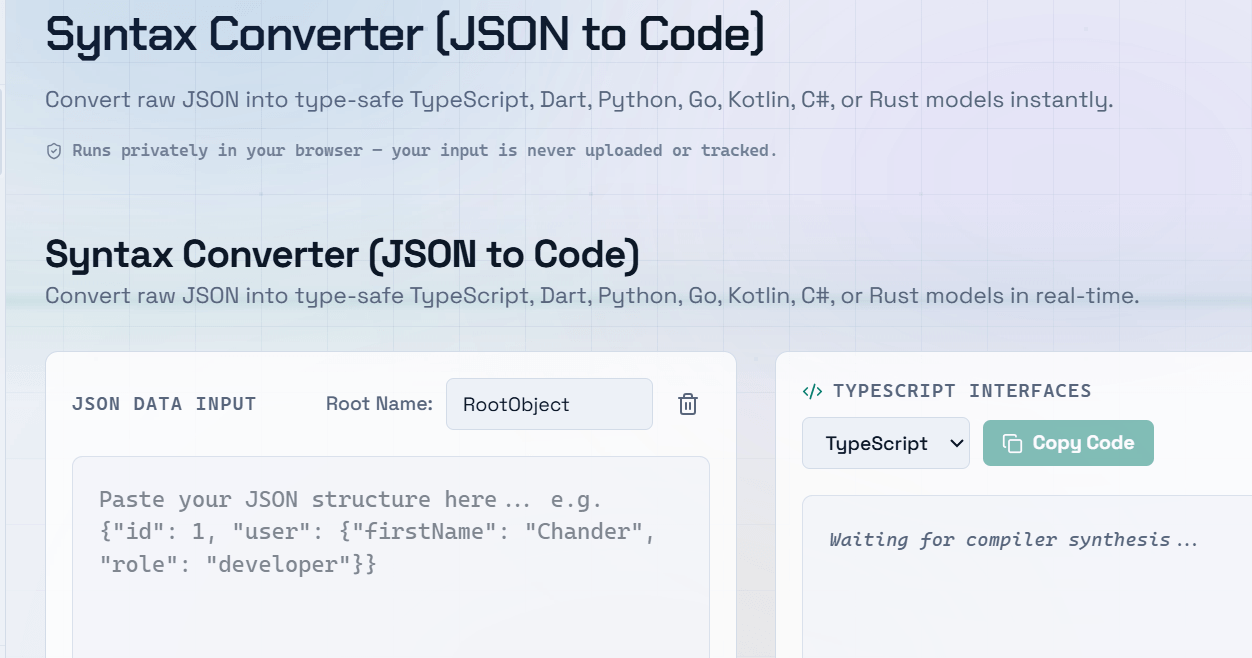
Manually writing TypeScript interfaces from JSON responses is tedious and error-prone â especially when the API returns deeply nested objects with dozens of fields. Converting JSON to TypeScript interfaces automatically saves significant development time and ensures your types accurately reflect the actual data structure.
Why Convert JSON to TypeScript Interfaces?
TypeScript’s main advantage is type safety â catching errors at compile time rather than runtime. When you consume a REST API that returns complex JSON, writing interfaces by hand is slow and introduces subtle mistakes like wrong types, missing optional fields, or incorrect nesting. A JSON to TypeScript converter handles all of this instantly.
- Eliminates manual type writing for large API responses
- Reduces typos and structural errors in interface definitions
- Keeps your types in sync with the actual data shape
- Speeds up onboarding â new developers see the data structure immediately
- Works with deeply nested objects and arrays automatically
How a JSON to TypeScript Converter Works
A JSON to TS converter analyses the structure of your JSON object and generates corresponding TypeScript interface definitions. It maps JSON types to TypeScript types: string to string, number to number, boolean to boolean, null to null, arrays to array types, and nested objects to nested interfaces. The output is ready-to-use TypeScript code you can paste directly into your project.
Step-by-Step: Converting JSON to TypeScript Online
- Copy the JSON response from your API or data source
- Paste it into the JSON to TypeScript tool input field
- The tool generates a TypeScript interface instantly
- Review the output and rename the root interface to match your model (e.g., UserProfile, ApiResponse)
- Copy the interface and paste it into your TypeScript project
- Import and use it to type your API calls, state, or props
Handling Optional Fields and Nullable Types
Real API responses often include fields that are sometimes null or absent entirely. When converting JSON to TypeScript, it is important to mark those fields as optional (?) or include null in the union type. Some converters detect null values in your sample JSON and automatically generate field?: type | null patterns.
Best Practice: Run the converter on multiple sample responses from the same endpoint to catch fields that appear in some responses but not others. Mark those as optional in your final interface.
Auto Generate TypeScript Types From API Responses
When building frontend applications, you often fetch data from multiple endpoints. Rather than writing interfaces for each one manually, paste each API response into the JSON to TypeScript generator and have all your types ready in minutes. For teams using OpenAPI or Swagger, you can also auto generate TS types directly from the API spec, which stays in sync as the API evolves.
Frequently Asked Questions
Q: Can I convert nested JSON objects to TypeScript interfaces?
A: Yes. Most JSON to TypeScript converters handle nested objects by generating separate child interfaces and referencing them within the parent. Deep nesting is supported automatically, so you get a complete type hierarchy from a single conversion.
Q: Do I need to rename the generated interfaces?
A: Converters typically use generic names like RootObject. You should rename the root interface to something meaningful for your project, such as UserProfile or OrderResponse, to keep your codebase readable.
Q: How accurate are the generated TypeScript types?
A: The accuracy depends on the sample JSON you provide. If a field is missing from your sample but exists in real responses, the converter will not include it. Always review the generated interface and cross-check it against the full API documentation.
Q: Can I use this for GraphQL responses too?
A: Yes. GraphQL returns standard JSON responses, so you can paste the data portion of a GraphQL response into a converter and get usable interfaces. However, for GraphQL projects, dedicated tools like GraphQL Code Generator offer tighter integration with your schema.