

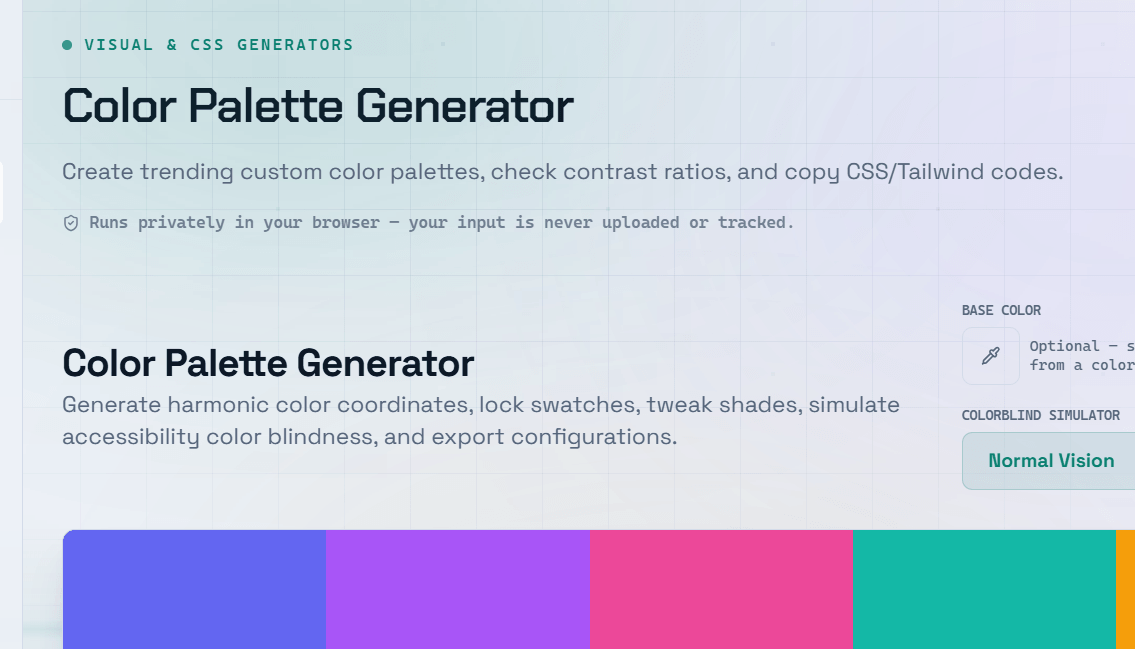
Color is one of the most powerful design decisions you can make. The right color palette builds trust, communicates your brand personality, and guides users through your interface. A color palette generator removes the guesswork from color selection by applying proven color theory principles automatically. Simply choose a starting color, and generate a complete, harmonious color scheme.
Color Theory Basics for UI Design
Understanding common color relationships helps you create visually balanced interfaces.
- Complementary — Colors positioned opposite each other on the color wheel. They create strong contrast and a vibrant, energetic look.
- Analogous — Colors that sit next to each other on the color wheel. They produce a harmonious and calming appearance.
- Triadic — Three colors evenly spaced around the color wheel. This scheme offers balance while maintaining visual interest.
- Monochromatic — Multiple tints and shades of a single color. Ideal for elegant, minimal, and consistent designs.
- Split Complementary — A base color combined with the two colors adjacent to its complementary color, providing contrast with less visual tension.
Building a Website Color Palette
A complete website color palette typically includes the following elements:
- Primary Color — Your main brand color, used for buttons, links, calls to action (CTAs), and important interface elements.
- Secondary Color — A supporting color for accents, hover states, and secondary UI components.
- Neutral Colors — Shades of gray used for text, borders, backgrounds, and interface surfaces.
- Semantic Colors — Colors representing success, error, warning, and informational messages.
- Background Color — The primary canvas color that forms the foundation of your website or application.
Color Accessibility — WCAG Contrast Requirements
A visually appealing palette must also be accessible.
According to WCAG 2.1 (Web Content Accessibility Guidelines):
- Normal text should have a minimum contrast ratio of 4.5:1.
- Large text should have a minimum contrast ratio of 3:1.
Many attractive color combinations fail these accessibility standards, making content difficult to read for users with low vision or color blindness.
A color palette generator with built-in contrast checking helps ensure your designs remain accessible from the beginning.
Tip: Always verify text and background color combinations with a contrast checker before finalizing your palette. Meeting WCAG AA standards improves usability, expands accessibility, and may help meet legal accessibility requirements.
Using a Color Palette Generator Effectively
To create an effective color palette:
- Start with your primary brand color or the emotion you want your design to communicate.
- Generate complementary or harmonious color combinations.
- Test the palette in both light mode and dark mode.
- Verify contrast ratios for text and interactive elements.
- Ensure the palette includes colors for all interface states, including success, warning, error, and disabled components.
Frequently Asked Questions
Q: How many colors should a website color palette include?
A: A well-balanced palette typically contains 5–8 colors, including:
- One primary color
- One secondary color
- Two or three neutral shades
- Semantic colors for success, warning, error, and informational states
Using too many colors can make a design feel inconsistent and visually cluttered.
Q: What is the 60-30-10 rule for color?
A: The 60-30-10 rule is a popular design guideline:
- 60% — Dominant color (backgrounds and large surfaces)
- 30% — Secondary color (cards, content areas, and supporting UI)
- 10% — Accent color (buttons, links, highlights, and calls to action)
This approach creates visual balance while maintaining emphasis on important elements.
Q: How do I choose a primary brand color?
A: Your primary color should reflect your brand’s personality and the emotions you want users to associate with it.
Common color associations include:
- Blue — Trust, reliability, professionalism
- Green — Health, growth, sustainability
- Red — Energy, urgency, excitement
- Purple — Creativity, luxury, innovation
It’s also helpful to research competitor branding to either align with or differentiate yourself within your industry.
Q: What is WCAG, and why does it matter for color choices?
A: WCAG (Web Content Accessibility Guidelines) is the international standard for creating accessible websites.
For colors, WCAG defines minimum contrast ratios between text and backgrounds to ensure content remains readable for users with low vision, color blindness, or other visual impairments.
Q: How do I adapt my color palette for dark mode?
A: Designing for dark mode involves more than simply inverting colors.
Best practices include:
- Use dark gray backgrounds instead of pure black.
- Use off-white text instead of pure white to reduce eye strain.
- Adjust primary and accent colors to maintain sufficient contrast.
- Test every UI component to ensure readability and accessibility across both light and dark themes.