

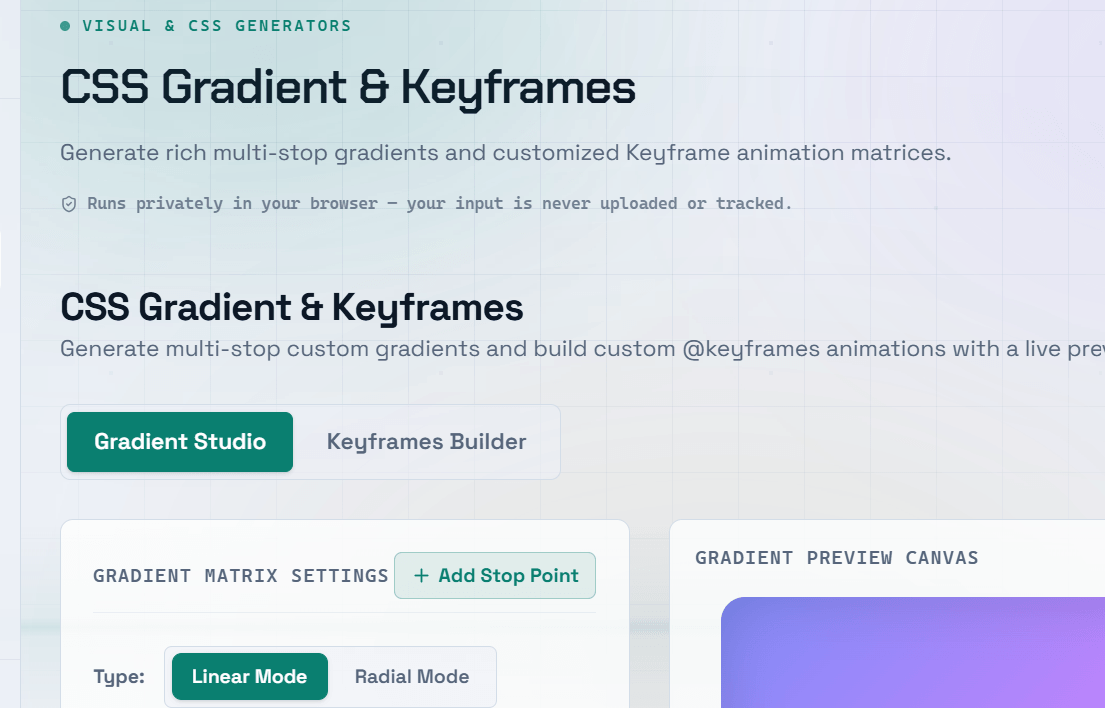
CSS gradients are a powerful way to add depth, dimension, and visual interest to modern web interfaces. From simple two-color linear gradients to advanced conic and layered gradients, they let you create attractive backgrounds without using image editing software. A CSS gradient generator makes experimentation easy by allowing you to design gradients visually and copy production-ready CSS code instantly.
CSS Linear Gradient
A linear gradient creates a smooth transition between two or more colors along a straight line.
The gradient direction can be defined using:
- Direction keywords such as
to right,to left, orto bottom - Angles in degrees such as
45degor135deg
Common Examples
background: linear-gradient(to right, #3B82F6, #8B5CF6);Left-to-right gradient from blue to purple.
background: linear-gradient(135deg, #F59E0B, #EF4444);Diagonal gradient from amber to red.
background: linear-gradient(to bottom, #ffffff 0%, #f3f4f6 100%);Subtle top-to-bottom background fade.
background: linear-gradient(to right, red, yellow, green);Gradient with multiple color stops.
CSS Radial Gradient
A radial gradient radiates outward from a central point.
By default, it creates an elliptical gradient that fills the element, but you can customize:
- Shape (
circleorellipse) - Size
- Position
- Color stops
Radial gradients are commonly used for:
- Spotlight effects
- Soft glow backgrounds
- Hero section highlights
- Depth in cards and UI components
CSS Conic Gradient
A conic gradient rotates colors around a central point, similar to a pie chart or color wheel.
Conic gradients are supported by all major modern browsers and are ideal for creating:
- Progress indicators
- Pie charts
- Circular charts
- Color wheels
- Decorative backgrounds
- Starburst effects
Using a CSS Gradient Generator
A CSS gradient generator allows you to create gradients visually by:
- Choosing colors
- Dragging color stops
- Adjusting gradient angles
- Changing gradient types
- Previewing results in real time
Once you’re satisfied, simply copy the generated CSS and paste it into your project.
This approach is much faster than manually calculating angles, percentages, and color stop positions.
Pro Tip: Add a subtle top-to-bottom gradient to buttons to create a more polished, three-dimensional appearance without increasing design complexity.
Advanced Gradient Techniques
Gradient Text
Apply gradients directly to text using:
background-clip: textcolor: transparent
This creates colorful typography while keeping the text fully scalable.
Layered Gradients
Combine multiple gradients by separating them with commas in the background property.
Layered gradients are useful for creating:
- Complex backgrounds
- Lighting effects
- Decorative overlays
- Glassmorphism-style interfaces
Hard Color Stops
Place two consecutive color stops at the same position to create sharp transitions with no blending.
This technique is useful for:
- Stripes
- Charts
- Dividers
- Abstract geometric designs
Transparent Gradients
Fade a color into transparent instead of another solid color.
Transparent gradients work well for:
- Image overlays
- Text readability improvements
- Scroll fade effects
- Hero banners
Frequently Asked Questions
Q: What browsers support CSS gradients?
A: Linear and radial gradients are supported by all modern browsers. Conic gradients are supported in current versions of Chrome, Firefox, Edge, and Safari (12.1 and later), covering the vast majority of web users.
For older browsers, provide a solid background color as a fallback before your gradient declaration.
Q: How do I create a gradient that fades to transparent?
A: Use transparent as one of the color stops.
Example:
background: linear-gradient(to right, #3B82F6, transparent);This is commonly used for:
- Image overlays
- Hero banners
- Fade-out effects
- Improving text readability over images
Q: Can I animate CSS gradients?
A: Direct animation of gradient values is not consistently supported across browsers.
Common alternatives include:
- Animating
background-position - Using oversized gradient backgrounds
- Fading between multiple gradient layers with
opacity - Animating pseudo-elements (
::beforeand::after)
Q: How do I create gradient text in CSS?
A: Apply the gradient as the background, then use:
background-clip: textcolor: transparent
For best compatibility, ensure the text element uses display: inline-block or display: block.
Q: What is a mesh gradient?
A: A mesh gradient is a complex, multi-directional gradient that produces soft, organic color blending.
Although CSS does not currently support true mesh gradients, you can approximate the effect by layering multiple semi-transparent radial gradients positioned throughout the background.